Ξ
TOP
FAQ
Contact
Login
Initial Registration
Language
Catalog download (free)
TOP
FAQ
Contact
Login
Initial Registration
Language
What is ExiaStudio?
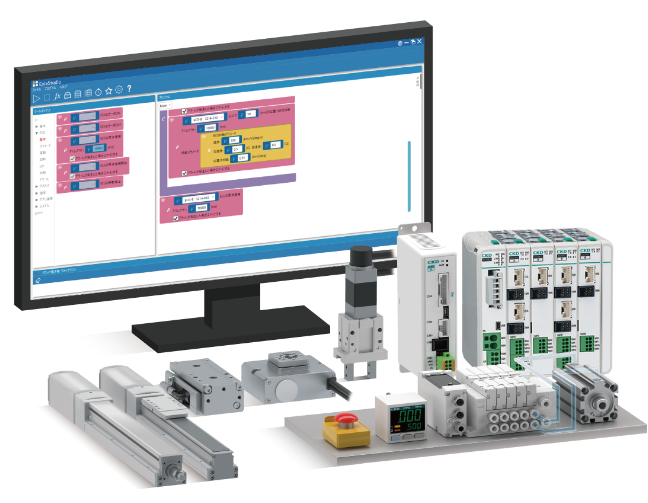
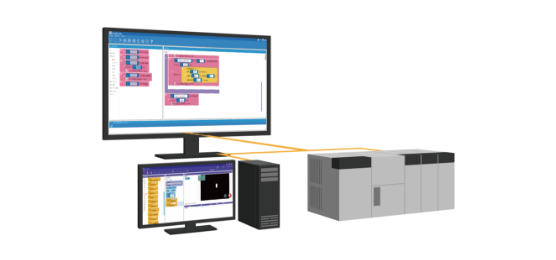
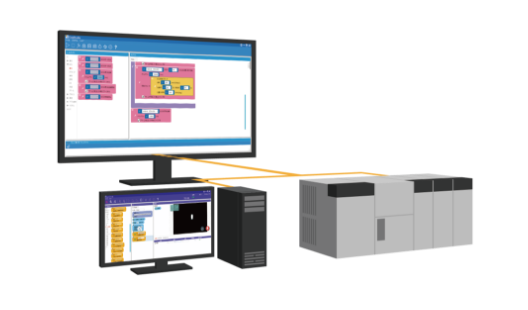
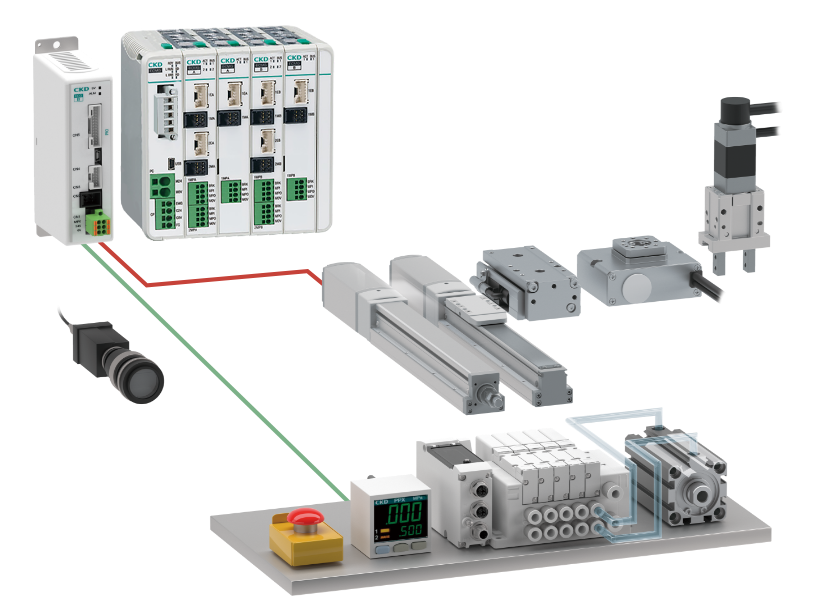
It is a software that anyone can use easily without any programming expertise. Various components can be controlled by a PC alone.
ExiaStudio Features
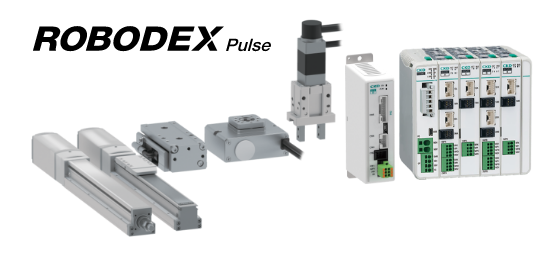
Electric actuator ROBODEX Pulse control
Click here for details
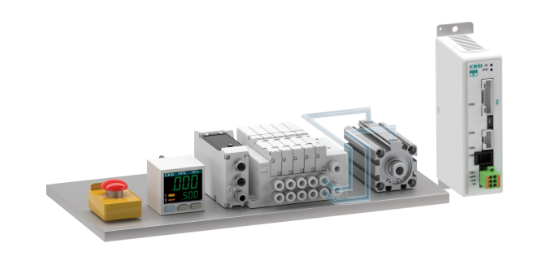
I/O Drive Component Control
Click here for details
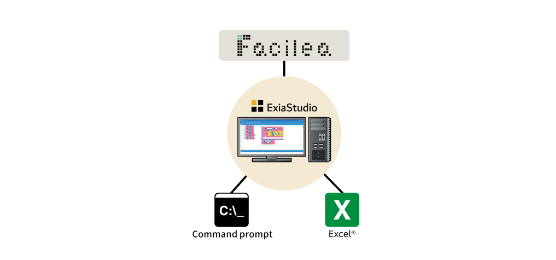
Integration to Various Applications
Click here for details
External system integration using various communication functions
Click here for details
Do you have this kind of problem?
PROBLEM
01
Human Resource Issues
The number of engineers who can handle the ladder language of PLC is decreasing, and the in-house production of equipment does not advance as expected.
With ExiaStudio, you can…
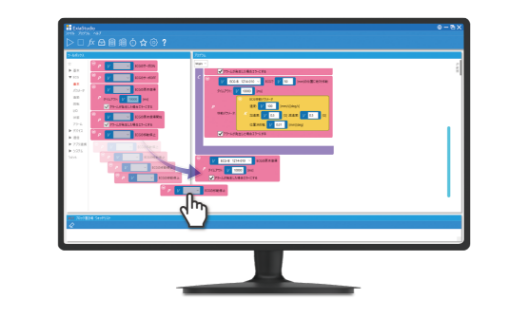
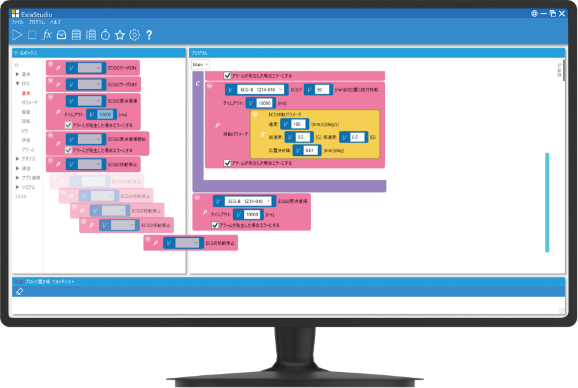
Just DRAG & DROP with the control blocks!
Anyone can easily program component control with no code, even without specialized knowledge of ladder, Python, C language, etc.
PROBLEM
02
Business Application Integration Challenges
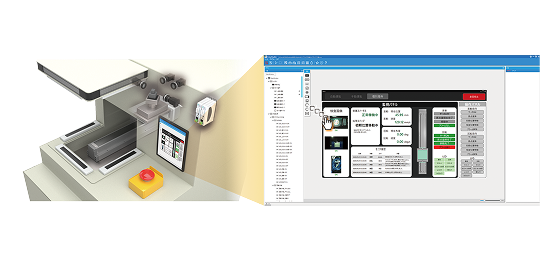
I want to integrate PC applications (image processing / Excel) with equipment but I don't know how to do it.
With ExiaStudio, you can…
Application collaboration unique to PC control!
In addition to linking with Facilea's Image Processing Software, linkage to Excel enables automated form filling.
PROBLEM
03
Scalability Issues
I want to add functions to existing equipment and link with upper network layers.
With ExiaStudio, you can…
Easy data collaboration with external devices!
Supported communication functions: Serial communication, TCP communication, MC protocol, HTTP A wide variety of communication functions enable system linkage with external systems.
2 software options to choose from
Standard Model
Features
One dongle per PC
Program changes can be made on site
Professional model
Features
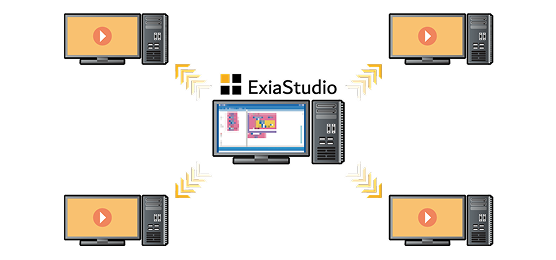
Program can be executed on multiple PCs with the Runtime software output function
No limit on the number of Runtime software outputs
Click here for details of functions
For questions about specifications and functions, click here .
System Requirements
ExiaStudio requires the following environment.
Information is current as of March 31, 2023.
All or part of the content may change without notice.
OS(Operating system)
Windows 11/10 64bit
CPU
Intel Celeron CPU N3050 1.60GHz or higher
Required memory
4 GB or more
Required disk space
10 GB or more free space
How to order
How to order
Please contact your local "Sales office" or "Distributors" .
USB dongle delivery
After payment, CKD will send you the "license key" (20-digit alphanumeric code) and the "USB dongle" required to download the software.
Download software
You can download the software by registering on the website through the "Initial Registration" link (license key required for registration).
Getting started
Start ExiaStudio on a PC with the USB dongle connected.
(Please refer to
"How to update a license" for renewing your license.)
What is ExiaStudio?
It is a software that anyone can use easily without any programming expertise. Various components can be controlled by a PC alone.
ExiaStudio Features
Electric actuator ROBODEX Pulse control
Click here for details
I/O Drive Component Control
Click here for details
Integration to Various Applications
Click here for details
External system integration using various communication functions
Click here for details
Do you have this kind of problem?
PROBLEM
01
Human Resource Issues
The number of engineers who can handle the ladder language of PLC is decreasing, and the in-house production of equipment does not advance as expected.
With ExiaStudio, you can…
Just DRAG & DROP with the control blocks!
Anyone can easily program component control with no code, even without specialized knowledge of ladder, Python, C language, etc.
PROBLEM
02
Business Application Integration Challenges
I want to integrate PC applications (image processing / Excel) with equipment but I don't know how to do it.
With ExiaStudio, you can…
Application collaboration unique to PC control!
In addition to linking with Facilea's Image Processing Software, linkage to Excel enables automated form filling.
PROBLEM
03
Scalability Issues
I want to add functions to existing equipment and link with upper network layers.
With ExiaStudio, you can…
Easy data collaboration with external devices!
Supported communication functions: Serial communication, TCP communication, MC protocol, HTTP A wide variety of communication functions enable system linkage with external systems.
2 software options to choose from
Standard Model
Features
One dongle per PC
Program changes can be made on site
Professional model
Features
Program can be executed on multiple PCs with the Runtime software output function
No limit on the number of Runtime software outputs
Click here for details of functions
For questions about specifications and functions, click here .
System Requirements
ExiaStudio requires the following environment.
Information is current as of March 31, 2023.
All or part of the content may change without notice.
OS(Operating system)
Windows 11/10 64bit
CPU
Intel Celeron CPU N3050 1.60GHz or higher
Required memory
4 GB or more
Required disk space
10 GB or more free space
How to order
How to order
Please contact your local "Sales office" or "Distributors" .
USB dongle delivery
After payment, CKD will send you the "license key" (20-digit alphanumeric code) and the "USB dongle" required to download the software.
Download software
You can download the software by registering on the website through the "Initial Registration" link (license key required for registration).
Getting started
Start ExiaStudio on a PC with the USB dongle connected.
(Please refer to
"How to update a license" for renewing your license.)
What is ExiaStudio?
It is a software that anyone can use easily without any programming expertise. Various components can be controlled by a PC alone.
ExiaStudio Features
Electric actuator ROBODEX Pulse control
Click here for details
I/O Drive Component Control
Click here for details
Integration to Various Applications
Click here for details
External system integration using various communication functions
Click here for details
Do you have this kind of problem?
PROBLEM
01
Human Resource Issues
The number of engineers who can handle the ladder language of PLC is decreasing, and the in-house production of equipment does not advance as expected.
With ExiaStudio, you can…
Just DRAG & DROP with the control blocks!
Anyone can easily program component control with no code, even without specialized knowledge of ladder, Python, C language, etc.
PROBLEM
02
Business Application Integration Challenges
I want to integrate PC applications (image processing / Excel) with equipment but I don't know how to do it.
With ExiaStudio, you can…
Application collaboration unique to PC control!
In addition to linking with Facilea's Image Processing Software, linkage to Excel enables automated form filling.
PROBLEM
03
Scalability Issues
I want to add functions to existing equipment and link with upper network layers.
With ExiaStudio, you can…
Easy data collaboration with external devices!
Supported communication functions: Serial communication, TCP communication, MC protocol, HTTP A wide variety of communication functions enable system linkage with external systems.
2 software options to choose from
Standard Model
Features
One dongle per PC
Program changes can be made on site
Professional model
Features
Program can be executed on multiple PCs with the Runtime software output function
No limit on the number of Runtime software outputs
Click here for details of functions
For questions about specifications and functions, click here .
System Requirements
ExiaStudio requires the following environment.
Information is current as of March 31, 2023.
All or part of the content may change without notice.
OS(Operating system)
Windows 11/10 64bit
CPU
Intel Celeron CPU N3050 1.60GHz or higher
Required memory
4 GB or more
Required disk space
10 GB or more free space
How to order
How to order
Please contact your local "Sales office" or "Distributors" .
USB dongle delivery
After payment, CKD will send you the "license key" (20-digit alphanumeric code) and the "USB dongle" required to download the software.
Download software
You can download the software by registering on the website through the "Initial Registration" link (license key required for registration).
Getting started
Start ExiaStudio on a PC with the USB dongle connected.
(Please refer to
"How to update a license" for renewing your license.)
  • What is "ExiaStudio"?
  • How to use
  • - Renew license
  • Contact
  • - FAQ
  • Software
Terms of Service
Privacy Policy
  • What is "ExiaStudio"?
  • How to use
  • - Renew license
  • Contact
  • - FAQ
  • Software
Terms of Service
Privacy Policy
Terms of Service
Privacy Policy
Catalog download (free)